Using "Search"

Status
Not open for further replies.

ortho85

Intern
Joined
Nov 6, 2011
Posts
80
I'm damned if I can see how to search for a phrase in posts. Putting quotes around a phrase still returns useless hits with individual words.

I know it's there somewhere, and I'm being dumb. Help!

Also, on this particular Dell laptop, using Firefox, the Advanced Search button is invisible. I know it's there, and I can locate it and use it if I mouse over that area. Anyone else got this, and any solution?

I love the Forum, but I hate the Search results!
 
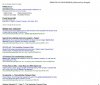
I'm not sure why you are having these problems. The main Search function is actually a Google search on the AFF website. In my experience it works well. For example, I searched on "qantas club discount". See image below.

1.jpg

Then got this result, which I though was pretty relevant
2.jpg

The Advanced Search is a bit different. It doesn't use Google - instead it searched via the internal AFF indexes. I generally prefer the Google search. Sorry, can't help you regarding the missing Advanced Search button. I suspect it is related to your specific setup.
 
Thanks, Admin. The weird thing is the " " type phrase search works in the basic search button, but not in advanced search!? I had been trying to use the advanced search, because the Google one doesn't have date limits. I might have to try the site search option in Google for date limited phrases.

Cheers,
 
I'm damned if I can see how to search for a phrase in posts. Putting quotes around a phrase still returns useless hits with individual words.

I know it's there somewhere, and I'm being dumb. Help!

Also, on this particular Dell laptop, using Firefox, the Advanced Search button is invisible. I know it's there, and I can locate it and use it if I mouse over that area. Anyone else got this, and any solution?

I love the Forum, but I hate the Search results!

I use this (suggested by someone else on the forum)

Google Advanced Search
 
Also, on this particular Dell laptop, using Firefox, the Advanced Search button is invisible. I know it's there, and I can locate it and use it if I mouse over that area. Anyone else got this, and any solution?
The "Search" button becomes invisible in older versions of Internet Explorer as well. Haven't found a solution.
 
Elevate your business spending to first-class rewards! Sign up today with code AFF10 and process over $10,000 in business expenses within your first 30 days to unlock 10,000 Bonus PayRewards Points.
Join 30,000+ savvy business owners who:

✅ Pay suppliers who don’t accept Amex
✅ Max out credit card rewards—even on government payments
✅ Earn & transfer PayRewards Points to 10+ airline & hotel partners

Start earning today!
- Pay suppliers who don’t take Amex
- Max out credit card rewards—even on government payments
- Earn & Transfer PayRewards Points to 8+ top airline & hotel partners

AFF Supporters can remove this and all advertisements

Status
Not open for further replies.

Become an AFF member!

Join Australian Frequent Flyer (AFF) for free and unlock insider tips, exclusive deals, and global meetups with 65,000+ frequent flyers.

AFF members can also access our Frequent Flyer Training courses, and upgrade to Fast-track your way to expert traveller status and unlock even more exclusive discounts!

AFF forum abbreviations

Wondering about Y, J or any of the other abbreviations used on our forum?

Check out our guide to common AFF acronyms & abbreviations.
Back
Top