The definitive thread on Qantas IT gripes

I was just about to try that and they all reappeared... the interns are getting stuff done before their lunch break.....
When did they start getting improved conditions!? Lunch break!? I'm a software engineer, myself. I yearn for a lunch break. Usually while moping over my second bottle of morning red.
 
When did they start getting improved conditions!? Lunch break!? I'm a software engineer, myself. I yearn for a lunch break. Usually while moping over my second bottle of morning red.
Hahaha - I'm getting soft in my old age. Now I am a full time student again running my own schedule/research, I get a lunch break every day! I'm the boss so I say go lunch...
 
Rant mode on. My goodness it was a palaver booking an MH CR yesterday.

I was trying to book 361 days out (meaning a multi-city booking was required) AND on iOS (as I was awaiting a tour of the Forbidden City) AND using a HK SIM in the PRC.

First, as @Mattg well knows, booking anything on the Qantas site overseas needs a VPN. I mean, it’s not like Qantas, you know, operates internationally… Anything else and ‘please check your network connection’ errors pop up everywhere.

Second, the regular booking engine only goes to 360 days out. This is a problem when you’re after a scarce J CR on MH that was released 361 days out. So multi-city it is. Fine, I’ll use that…

Third, it wasn’t fine. The multi-city booking engine on iOS has no way to select CRs (unlike iPadOS); It only does cash fares. No amount of ‘request desktop site’ actually brings up the desktop site. Instead it just bumps you back to the mobile site, sans CR option. So I had to install a user agent switcher to spoof the browser’s user angent and have it identify as MacOS instead.

Only once all three of those pieces were in place could I go ahead and book. Fortunately, I was able to secure the ticket I desired but I can’t imagine how the oldies would get on.

Why is it so hard Qantas!?!

Rant over…

 
Rant mode on. My goodness it was a palaver booking an MH CR yesterday.

I was trying to book 361 days out (meaning a multi-city booking was required) AND on iOS (as I was awaiting a tour of the Forbidden City) AND using a HK SIM in the PRC.

First, as @Mattg well knows, booking anything on the Qantas site overseas needs a VPN. I mean, it’s not like Qantas, you know, operates internationally… Anything else and ‘please check your network connection’ errors pop up everywhere.

Second, the regular booking engine only goes to 360 days out. This is a problem when you’re after a scarce J CR on MH that was released 361 days out. So multi-city it is. Fine, I’ll use that…

Third, it wasn’t fine. The multi-city booking engine on iOS has no way to select CRs (unlike iPadOS); It only does cash fares. No amount of ‘request desktop site’ actually brings up the desktop site. Instead it just bumps you back to the mobile site, sans CR option. So I had to install a user agent switcher to spoof the browser’s user angent and have it identify as MacOS instead.

Only once all three of those pieces were in place could I go ahead and book. Fortunately, I was able to secure the ticket I desired but I can’t imagine how the oldies would get on.

Why is it so hard Qantas!?!

Rant over…
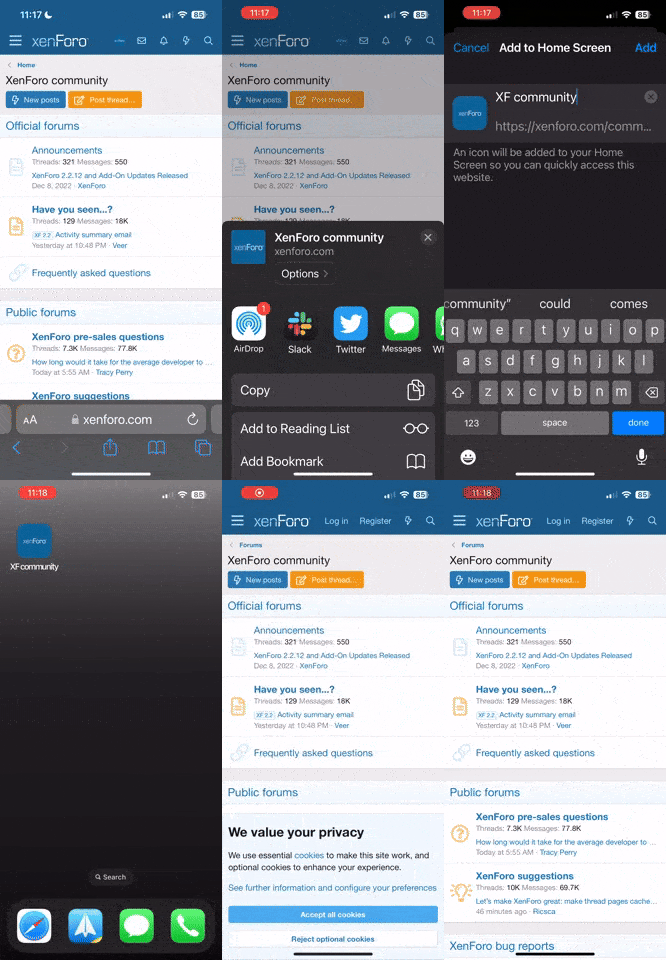
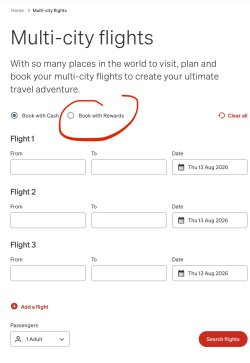
There is a fix for this. It was mentioned up thread or possibly a MC thread but adjusting the font size and the radio button (Cash/Points) appears!


IMG_0242.jpeg
Screenshot of my iPhone (no VPN required either).
 
There is a fix for this. It was mentioned up thread or possibly a MC thread but adjusting the font size and the radio button (Cash/Points) appears!


View attachment 518096
Screenshot of my iPhone (no VPN required either).
Fix P.P. Design issues by way of font sizing.

It's a shame Qantas turns no profit; they'd be able to hire decent front end engineers, otherwise.
 
Fix P.P. Design issues by way of font sizing.

It's a shame Qantas turns no profit; they'd be able to hire decent front end engineers, otherwise.
To be fare, the app also supports points MC search BUT for some reason, the regular search tool doesn’t get that extra day further out that the web version does.

Not relevant for booking QF flights but obviously a handy hack for scoring some partner awards that get released at 361 days (as per OPs compliant).
 
Read our AFF credit card guides and start earning more points now.

AFF Supporters can remove this and all advertisements

Become an AFF member!

Join Australian Frequent Flyer (AFF) for free and unlock insider tips, exclusive deals, and global meetups with 65,000+ frequent flyers.

AFF members can also access our Frequent Flyer Training courses, and upgrade to Fast-track your way to expert traveller status and unlock even more exclusive discounts!

AFF forum abbreviations

Wondering about Y, J or any of the other abbreviations used on our forum?

Check out our guide to common AFF acronyms & abbreviations.
Back
Top